
- 14-day refundNot the right fit? Contact us within 14 days.
- Digital deliveryDownload only, nothing ships.
- Talk to a human(702) 389-6009 for sales and support.
11 MultiCHAX 11 · Enterprise Edition
MultiCHAX 11 Enterprise Subscription
No limits, built for volume.
Billed monthly. Cancel any time.
Not sure yet? Try MultiCHAX 11
Enterprise includes
- Unlimited checks
- Unlimited bank accounts
- Unlimited check templates
- Unlimited computers
Inside every edition
Print from QuickBooks. Check every check.
Your accounting software prints to MultiCHAX, and MultiCHAX prints the check on blank stock with your bank's MICR line.
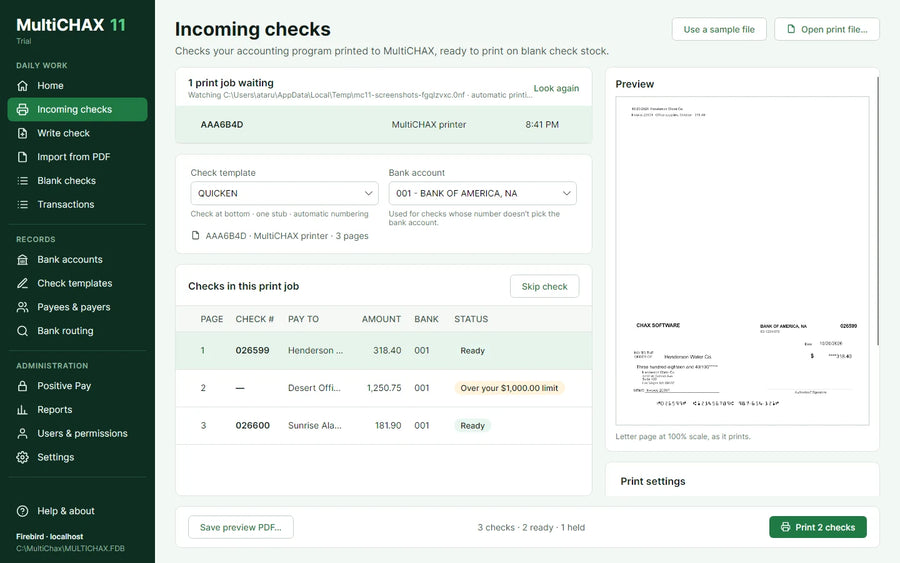
Print from your accounting software.
QuickBooks, Quicken and other programs print to MultiCHAX, and MultiCHAX prints the check on blank stock with your bank's MICR line.
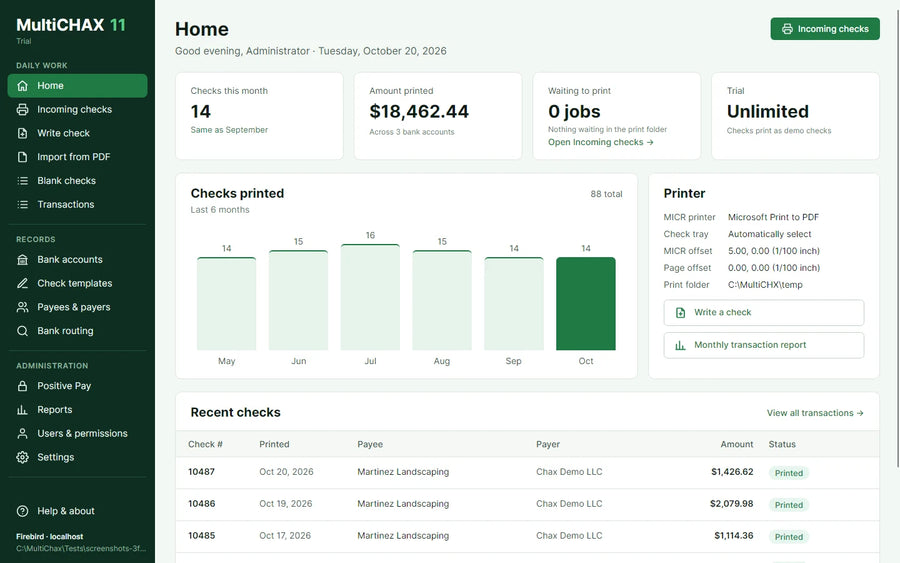
Review before it prints.
Each check is matched to its template and bank account. A check without an amount, or over its limit, is held so it never prints by mistake.
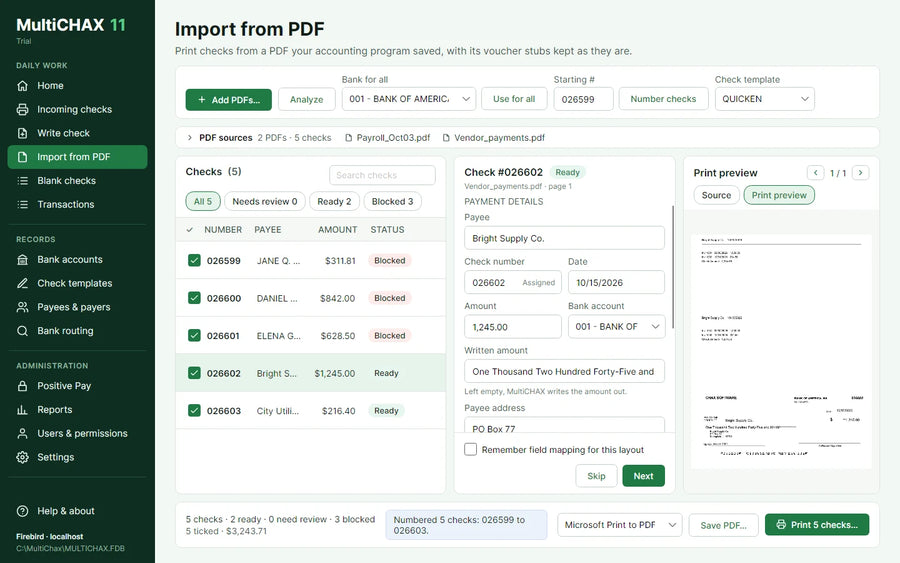
Import checks from PDF.
Bring in a PDF your accounting program saved, voucher stubs and all. Handy for QuickBooks Online.
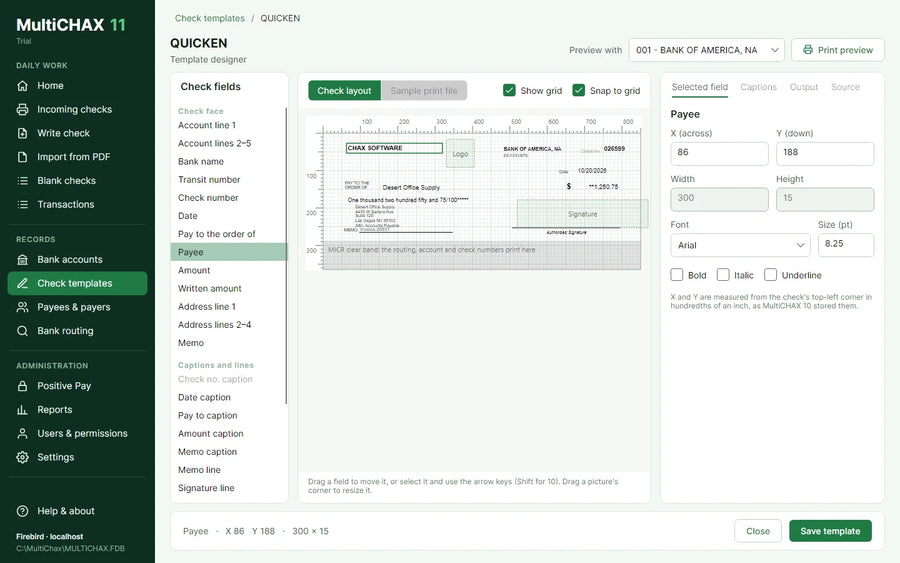
Your layout, to the hundredth of an inch.
Drag fields into place on the check, snap them to the grid and preview with your own bank account before you save.
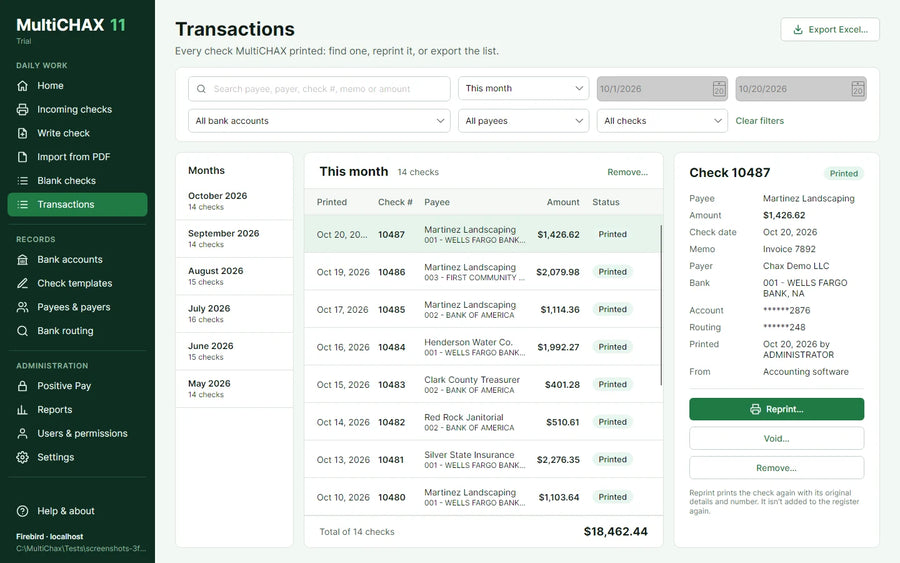
Keep the record.
Every printed check lands in Transactions. Reprint it, run a report, or export the list to Excel.
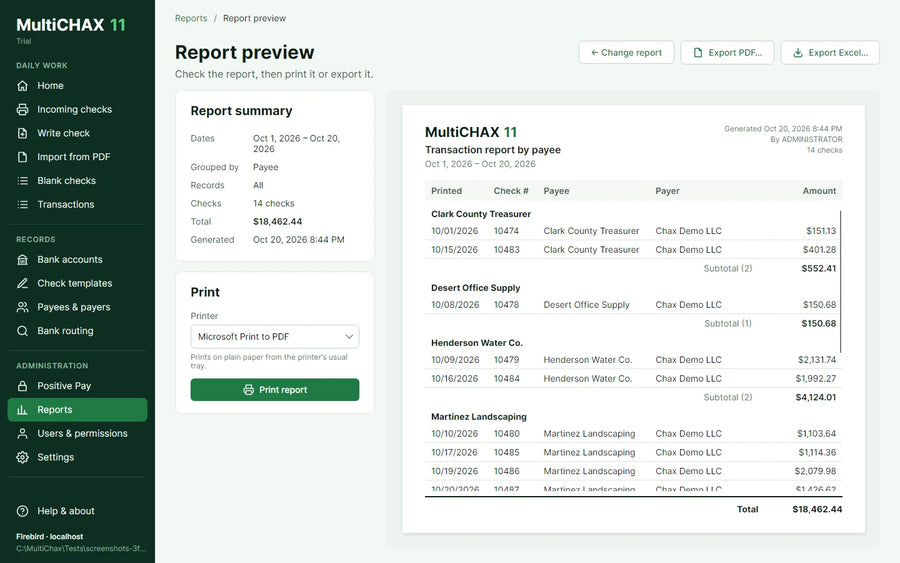
Reports with PDF and Excel export.
Run reports on what you printed and share them as PDF or Excel.
Compare editions
Pick the edition that fits your office.
| Standard | Professional | EnterpriseThis edition | |
|---|---|---|---|
| Checks per month | 300 | Unlimited | Unlimited |
| Bank accounts | 5 | 25 | Unlimited |
| Check templates | 1 | 2 | Unlimited |
| Computers running MultiCHAX | Up to 2 | Unlimited | Unlimited |
| Print from QuickBooks, Quicken and other programs | ✓ | ✓ | ✓ |
| Import checks from PDF | ✓ | ✓ | ✓ |
| Template designer | ✓ | ✓ | ✓ |
| Transactions and reports | ✓ | ✓ | ✓ |
Server Edition is also available, for offices that run MultiCHAX on a Windows server. See all license options
FAQ
Before you buy
Can I try MultiCHAX 11 before buying?
Yes. Download the trial and MultiCHAX 11 opens in trial mode. Every feature works on one PC; checks print as demo checks until you add a license.
Which accounting software does it work with?
QuickBooks Desktop, Quicken and other programs that print checks print to the MultiCHAX printer. For QuickBooks Online and other programs that save checks as a PDF, Import from PDF reads the checks and keeps their voucher stubs.
What do I need?
A PC with Windows 10 or 11. To print real checks, you'll also need a laser printer, blank check stock and MICR toner, which many banks ask for.
What happens if my subscription ends?
MultiCHAX goes read-only for 30 days, then locks until you renew. Your records stay in the database either way.
I own an earlier MultiCHAX. Can I upgrade?
Yes. Call (702) 389-6009 or contact us with your existing license key and we'll help you move to MultiCHAX 11.
Do you offer a refund?
Yes. If MultiCHAX 11 isn't the right fit, contact us within 14 days of your purchase and we'll take care of it.
One blank stock. Every bank account.
Questions before you buy? Call (702) 389-6009 and we'll help you choose.